Spades Stars - Card Game
BluetileCard
4.86.78K Reviews
- Version
- 2.7.3
- Installs
- 1.00M
- Age Rating
- Everyone
Screenshots
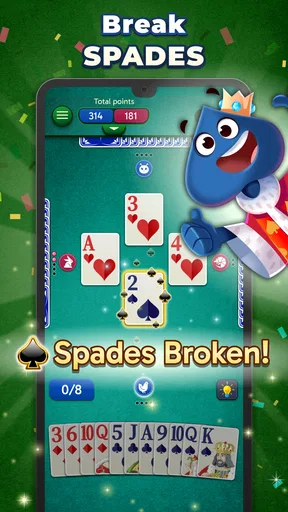
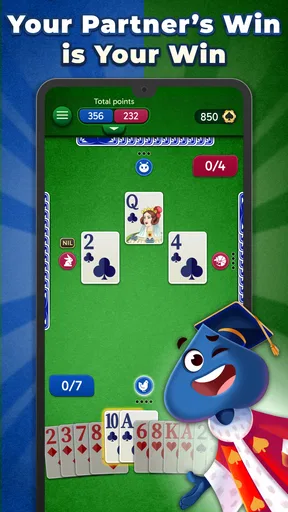
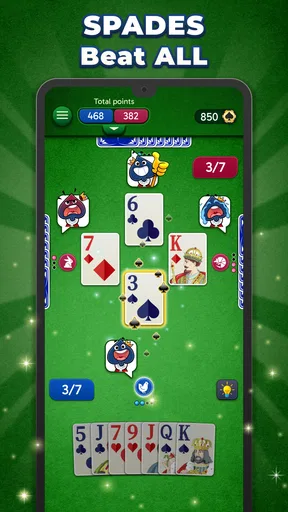
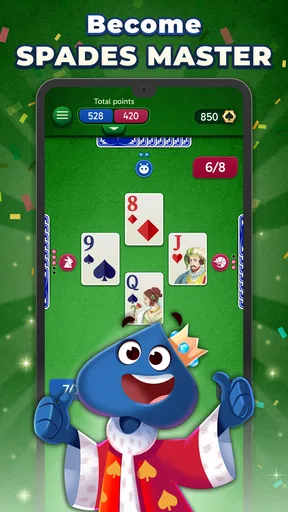
Our Review of Spades Stars - Card Game
 Analysis by Appyee
I judge a mobile Spades game by a few practical questions: can I follow the cards on a small screen, can I fit a hand into a spare moment, and does it still feel worthwhile when I’m not in the mood to compete? Spades Stars - Card Game is a free card game from Bluetile, and its strongest appeal is the familiar rhythm of Spades in a format that is easy to pick up for a quick session. It’s rated for Everyone, so it can suit a broad range of players, though the game’s social and competitive elements may matter more to some people than others.
Start with the kind of Spades you want
Before installing any card game, I’d decide whether I want a quiet way to practice, a social table, or a ladder to climb. Those are different reasons to play, and a single app won’t satisfy all of them equally. Spades Stars presents itself as a casual place to play the classic game, with offline play part of its appeal. That makes it a sensible candidate for someone who wants to keep a familiar card game close at hand rather than build a whole gaming routine around it.
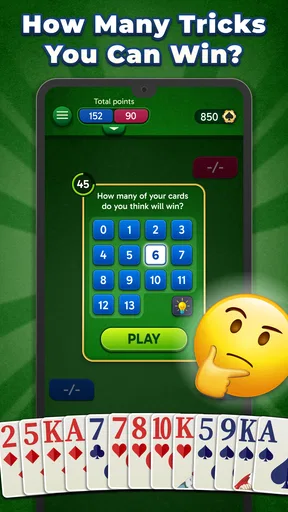
For a newcomer, the useful question is not just whether the rules are recognizable, but whether a match gives enough room to understand how bidding and taking tricks fit together. A low-pressure game can help you learn to think about your hand before committing to a bid. If you already know Spades, the more relevant question is whether you want to sharpen your decisions or simply enjoy a few hands. I’d approach it as a convenient option for both, while keeping expectations centered on the card game itself.
A practical fit for short sessions
The best time to open a Spades app is often an ordinary pause: waiting for a ride, winding down after dinner, or filling a quiet stretch when friends are not around. Offline play is useful in exactly those moments. It means the game can be part of a low-effort routine instead of something that depends on finding opponents or being ready to chat. I would still choose a longer, uninterrupted session when I want to focus on a full match, but the offline angle makes casual practice easier to fit into the day.
One small but useful habit is to treat solo hands as decision practice rather than as a score challenge. Before playing a card, I’d ask what the bid implies, which suit could become a problem, and whether a high card is better saved for later. That turns a few spare hands into a way to build judgment. It also makes the game more rewarding for a beginner who might otherwise focus only on winning or losing.
At the same time, Spades is a partnership game at heart, so playing alone cannot replace the experience of coordinating with another person. If your main goal is reading a regular partner’s habits or developing shared conventions, an offline session is only a warm-up. I’d use it to stay familiar with the flow of play, then move to a table with friends when the social side is what I’m actually looking for.
Where it compares well—and where another choice may fit
Compared with a physical deck, a phone game is easier to carry and quicker to start, but it removes the small rituals of dealing cards and reading a partner across a table. Compared with broad card-game collections, a Spades-focused option can feel more direct if this is the game you came to play; a collection may be a better fit if you want to switch between several different card games without installing separate apps.
Online-first alternatives are worth considering if your priority is a busy competitive scene or meeting new opponents. Spades Stars has multiplayer in its described offering, but its offline appeal is a useful counterweight for players who do not want every session to depend on a connection. The trade-off is straightforward: choose an online-centered game when live competition is the point, and consider this one when flexibility and familiar Spades matter more.
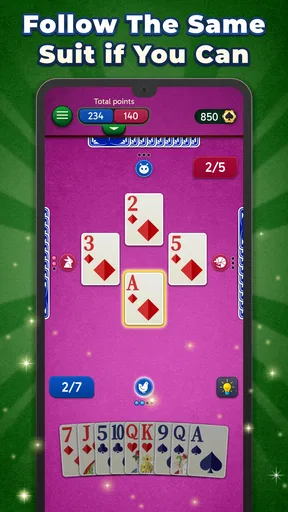
If you are new to the game, a dedicated rules guide or a patient in-person table may explain bidding conventions more clearly than trial and error. I wouldn’t treat any mobile game as a substitute for learning the table customs your friends use. But for reinforcing the basic rhythm—bid, follow suit, track what has been played—a phone session can give you a private place to make mistakes without slowing down a group.
What to know before settling in
The game has a 4.8 average from around 135,000 ratings, and it has passed one million installs. Those figures suggest that Spades Stars has found a substantial audience, but they don’t tell me whether its exact style will suit every player. I’d use them as reassurance that it is an established choice, not as a guarantee that every match or feature will be a personal favorite.
The current version is 2.2.1, and the game is listed for devices running Android 7.0 or later. It is free to download, with optional in-app purchases priced from $0.99 to $99.99 per item. That wide range is a reason to be deliberate: I’d begin with the free experience, decide whether I enjoy returning to it, and avoid spending just because a purchase is visible. Players who prefer a strictly no-purchase environment may find that setup less appealing.
It is also worth separating “offline-friendly” from “everything works without a connection.” I’d choose offline play when I simply want a hand without the social side, and use multiplayer when I want an actual opponent or a shared session. That distinction helps set expectations: a solo game can be convenient, while a social match depends on the kind of interaction you want. If you mainly want to chat and coordinate with familiar people, arrange that around a game session rather than assuming a card app will reproduce the feel of sitting together.
Spades Stars is less compelling for someone who wants a deep catalogue of unrelated games, a highly structured learning course, or a purely face-to-face experience. In those cases, a card collection, a rules resource, or a real deck may serve the goal better. I’d also think twice if I only enjoy games when there is a persistent competitive target; a leaderboard can motivate, but it can also make a relaxing pastime feel like another task.
Getting Started with Spades Stars
First things first, downloading and setting up Spades Stars - Card Game was a breeze. Available on both Android and iOS, all it took was a quick visit to the app store, a couple of taps, and I was ready to hit the virtual card table. The app’s user interface is sleek and intuitive, making navigation a piece of cake even for those who aren’t exactly tech-savvy.
Game Modes Galore
Once inside, I was greeted with a variety of game modes. Whether you’re in the mood for a solo challenge or want to team up with friends, Spades Stars has got you covered. I personally enjoyed the multiplayer mode, where I could play with friends or match up with random opponents around the globe. It’s a great way to test your skills against different players and strategies.
Aside from multiplayer, there’s also a single-player mode where you can play against AI. It’s perfect for those moments when you just want to chill and practice without any pressure. The AI offers a decent challenge, which is great for improving your game.
Visuals and Soundtrack
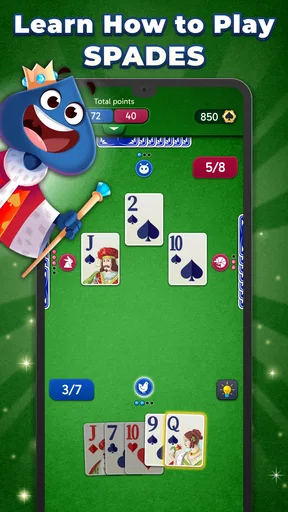
Now, let’s talk aesthetics. The graphics in Spades Stars are top-notch, with vibrant colors and crisp animations. The developers have done a fantastic job in making the game visually appealing without overloading it with unnecessary frills. The cards are easy to read, and the animations add a nice touch of excitement.
The soundtrack? It’s just the right blend of relaxing and upbeat, keeping you engaged without being overbearing. It’s like having your very own background music that keeps the energy flowing as you play.
Features that Stand Out
One of the features that I found particularly interesting is the ranking system. As you play and win matches, you earn points that help you climb the leaderboard. It adds a competitive edge to the game, motivating you to improve and climb the ranks.
Oh, and did I mention the customization options? You can personalize your avatar and card decks to suit your style. It’s a fun way to make your game experience feel more unique and personal.
Community and Support
Being part of the Spades Stars community is like being in a friendly neighborhood of Spades lovers. The chat feature allows you to communicate with other players, which is a great way to make new friends or just share strategies and tips.
And if you ever run into any issues, the support team is there to help. They’re responsive and genuinely seem to care about providing a smooth gaming experience for everyone.
Final Thoughts
All in all, Spades Stars - Card Game is a fantastic app that brings the classic card game to your fingertips in style. With its user-friendly interface, engaging gameplay modes, and vibrant community, it’s easy to see why players are hooked. Whether you’re in it for the competition or just a casual game to unwind, Spades Stars has something to offer.
If you haven’t already, give it a try and see for yourself. Who knows, you might just become the next Spades star!
My recommendation
I’d recommend giving it a try if you already enjoy Spades and want both a solo option and a way to play socially. The combination is more flexible than a physical deck when you’re on your own, while multiplayer offers a route back to the shared, conversational side of the game. For a first session, I’d start with a few hands at a relaxed pace, learn how the interface presents the cards, and see whether the game’s rhythm feels comfortable before worrying about rankings.
If you’re deciding between this and another card app, be specific about what you need. Pick Spades Stars when Spades itself is the reason you’re opening your phone. Choose a multi-game collection if variety matters more, an online-focused table if constant live competition is the main draw, or a physical deck if the best part for you is sitting with people in the same room. That is the clearest way to judge its fit: it brings the classic game into convenient solo and multiplayer sessions, but it cannot make every style of card night interchangeable.
Bluetile’s game is free to start, and its Everyone rating makes it approachable for a wide audience. I would keep the optional purchases in mind rather than treating them as necessary, especially if I’m only looking for a few casual hands now and then. My overall take is that it’s a practical pick for Spades fans who value convenience and a choice between practice and people. If you want something broader, more instructional, or more social in the face-to-face sense, a different option will likely serve you better.
Privacy and Permissions
See what permissions an app requests and how it handles your data.
- Photos/Media/Files
- read the contents of your USB storage, modify or delete the contents of your USB storage
- Storage
- read the contents of your USB storage, modify or delete the contents of your USB storage
- Wi-Fi connection information
- view Wi-Fi connections
- Other
- view network connections, full network access, control vibration, prevent device from sleeping
Verdict
Strengths of Spades Stars - Card Game
- Smooth and intuitive user interface.
- Multiple game modes available.
- Includes a helpful tutorial for beginners.
- Supports online and offline play.
- Regular updates with new features.
Limitations of Spades Stars - Card Game
- Occasional in-app ads interrupt gameplay.
- Limited customization for avatars.
- Requires internet for some features.
- No achievements or leaderboards.
- In-app purchases can be costly.
Other Releases by Bluetile
View All

Ball Sort Puz - Color Game
Puzzle4.8

Water Sort Puz - Color Game
Puzzle4.8

Dot Link - Connect the Dots
Puzzle4.8
Similar Picks in This Category
View All
Solitaire - Classic Card Games
MobilityWare4.6

UNO!™
Mattel163 Limited4.3

Spider Solitaire: Card Games
MobilityWare4.6

Solitaire.com - Classic Cards
Tripledot Studios Limited4.7

Plants vs. Zombies™ Heroes
ELECTRONIC ARTS4.1

Hearthstone
Blizzard Entertainment, Inc.4.1
Frequently Asked Questions
What are the main features of Spades Stars - Card Game?
Spades Stars offers a variety of features that enhance the traditional card game experience. It includes online multiplayer mode, allowing you to play with friends or other players worldwide. The app also provides customizable avatars, daily challenges, and leaderboards to track your progress. Additionally, it offers tutorials for beginners and various difficulty levels for seasoned players.
Is Spades Stars free to download and play?
Yes, Spades Stars is free to download and play. However, the app offers in-app purchases that can enhance the gaming experience. These purchases include options to remove ads, buy in-game currency, or unlock special features and customizations. While the game can be enjoyed without spending money, these purchases can provide additional benefits.
Does Spades Stars require an internet connection?
Spades Stars requires an internet connection for its online multiplayer mode, which allows you to compete against players around the world. However, the game also offers an offline mode where you can play against AI opponents. This flexibility ensures you can enjoy the game wherever you are, whether online or offline.
How does Spades Stars handle player privacy and security?
Spades Stars prioritizes player privacy and security by implementing strict data protection measures. The app requires minimal personal information and provides options to customize privacy settings. Additionally, all transactions are encrypted, ensuring your data remains secure. It's recommended to review the app's privacy policy to understand how your information is used and protected.
Can I play Spades Stars on both Android and iOS devices?
Yes, Spades Stars is available on both Android and iOS platforms. You can download the app from the Google Play Store for Android devices and the App Store for iOS devices. The game is designed to run smoothly on a wide range of smartphones and tablets, ensuring a consistent gaming experience across different devices.
Play our best games!


